top of page

hyperPad Game Design Tutorial
Now works on iPad & Mac!
Watch the video below or view the PDF!



Welcome to the Award Winning hyperPad Coding & Game Design Course
(00:00) Introduction ( Coding & Game Design Foundations )
(01:07) Game Demo Example 1
(02:48) Why hyperPad?
(04:02) Game Design Preparation • Define the Game Problem
(04:38) What are the Game Objectives?
(05:31) Converting Objectives into Pseudocode
(06:26) Defining & Creating Flowcharts
(06:53) Flowchart Examples
(07:38) Drinking Milk Pseudocode & Flowchart Example
(08:16) Petrol Indicator Pseudocode & Flowchart Example
(09:15) Touch Edge of Screen IF THEN example
(10:41) Gather Graphics Assets for your Game
(11:58) Removing Image Backgrounds using Keynote
(13:08) Understanding the X vs Y Axis
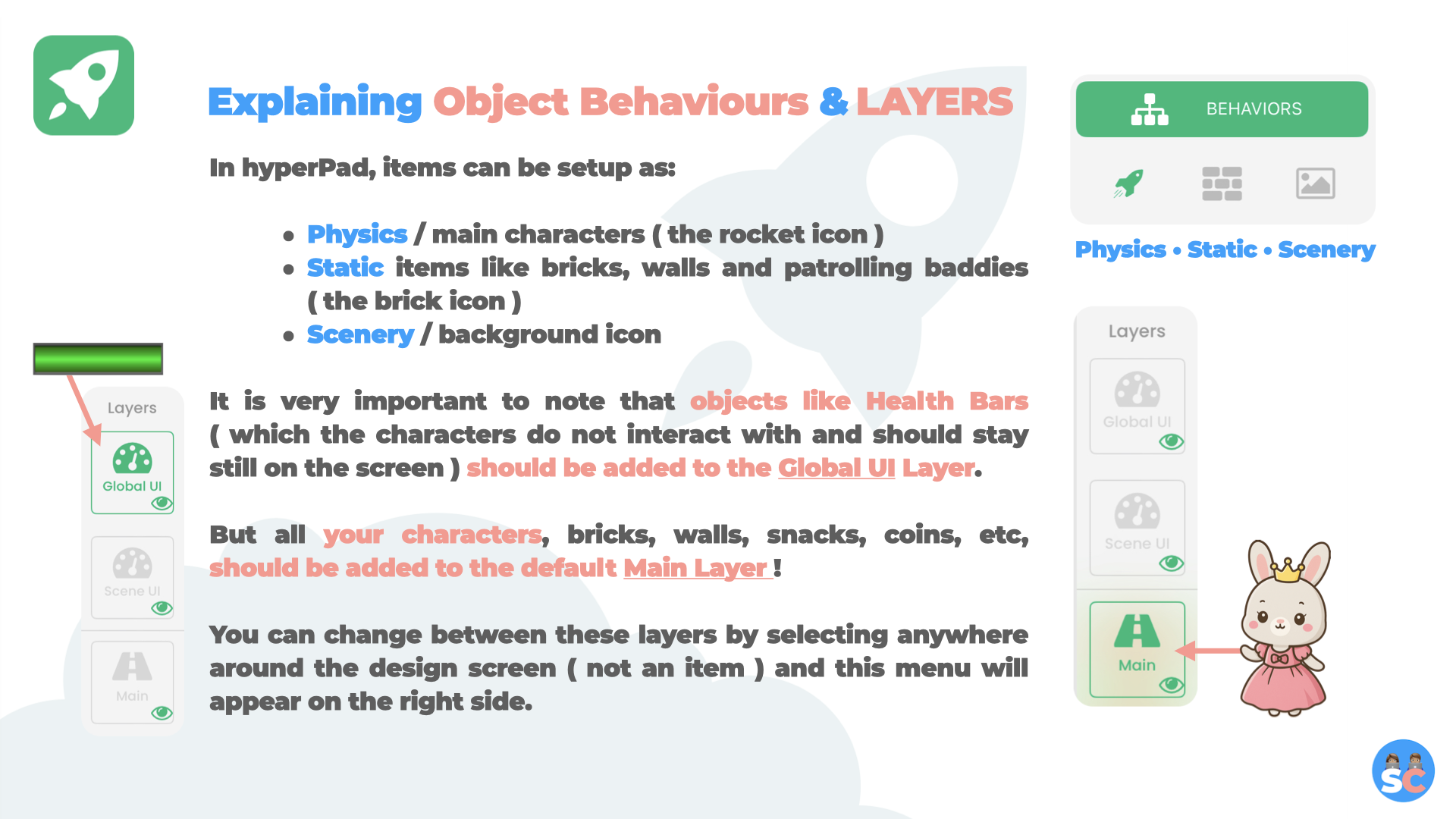
(14:52) Creating a Game in hyperPad! ( Starting with Layers )
(15:49) Behaviours ( where you do the actual coding )
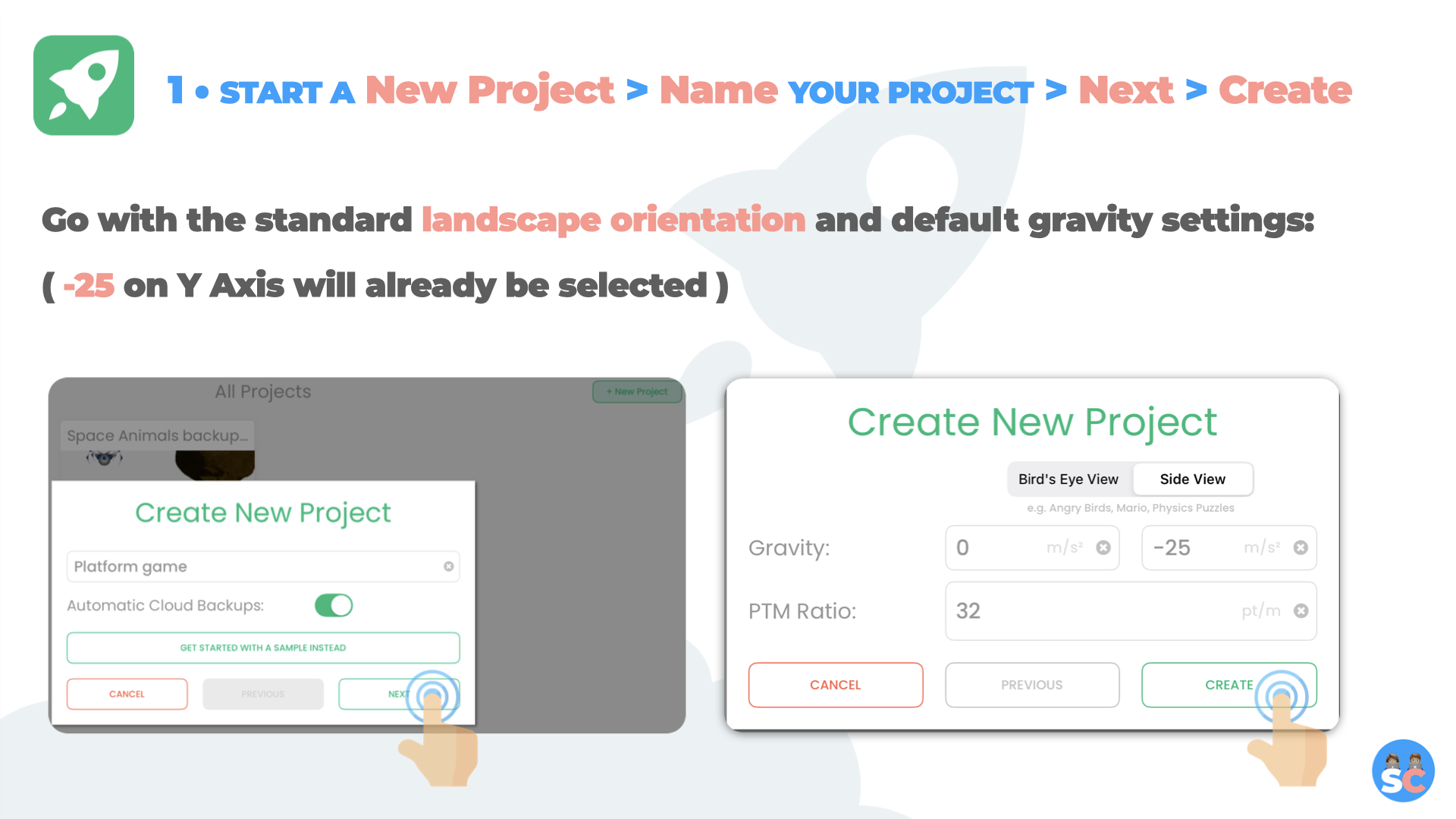
(16:45) Create a New Project
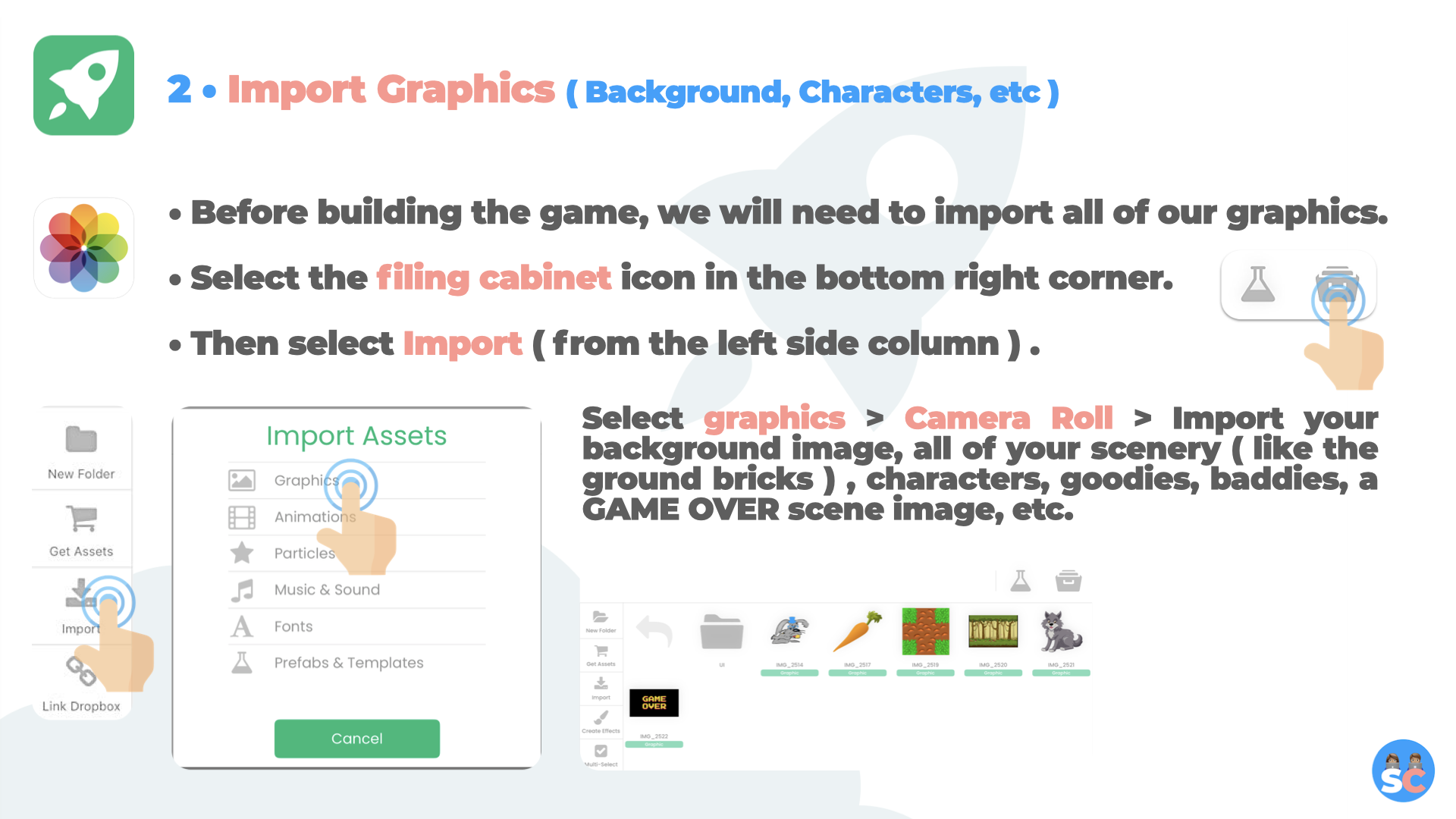
(17:53) Import your Images / Graphics
(20:20) Create a Character using Keynote
(21:51) Using Copilot to Create a Character
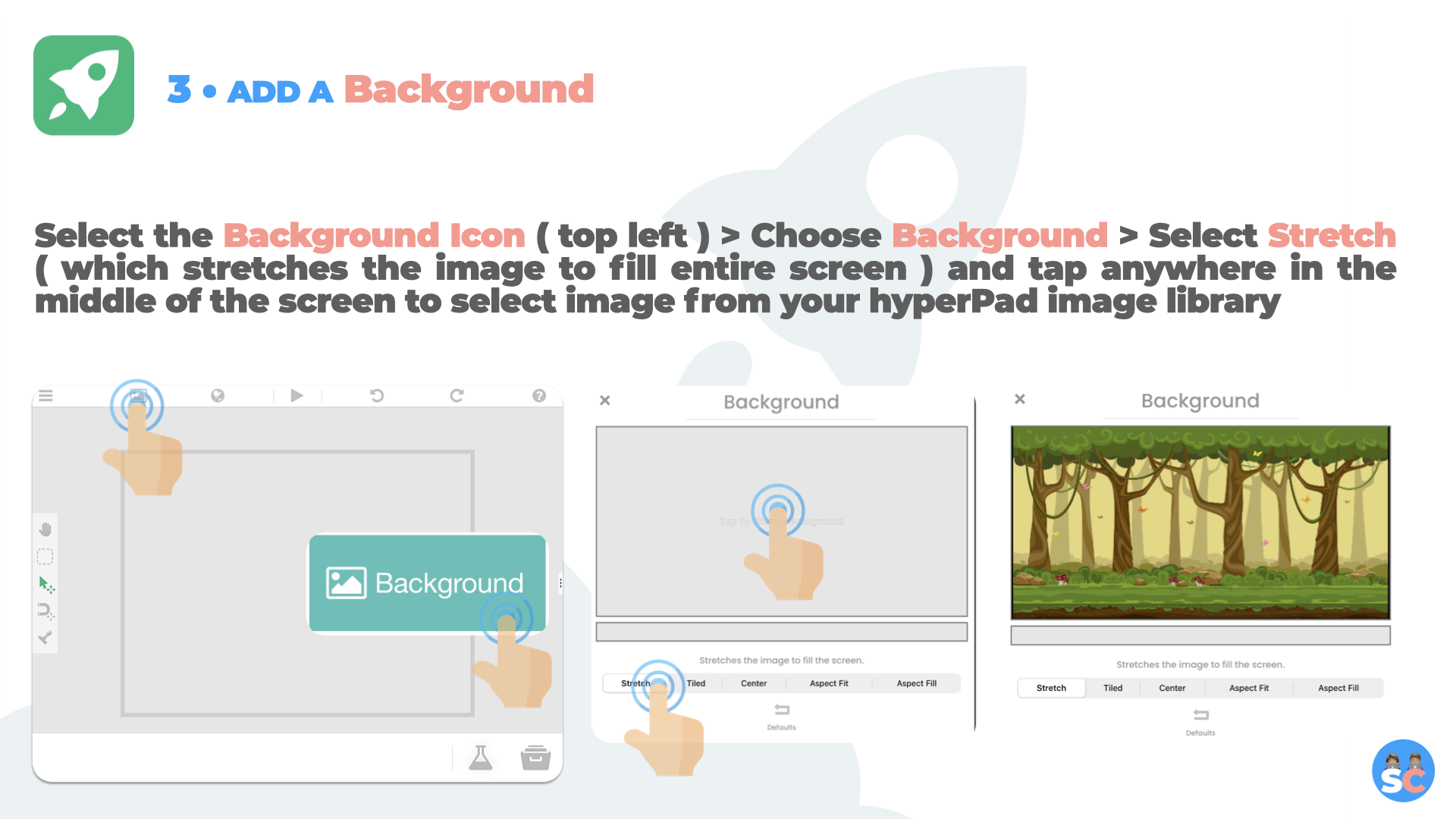
(23:25) Import Images & Backgrounds
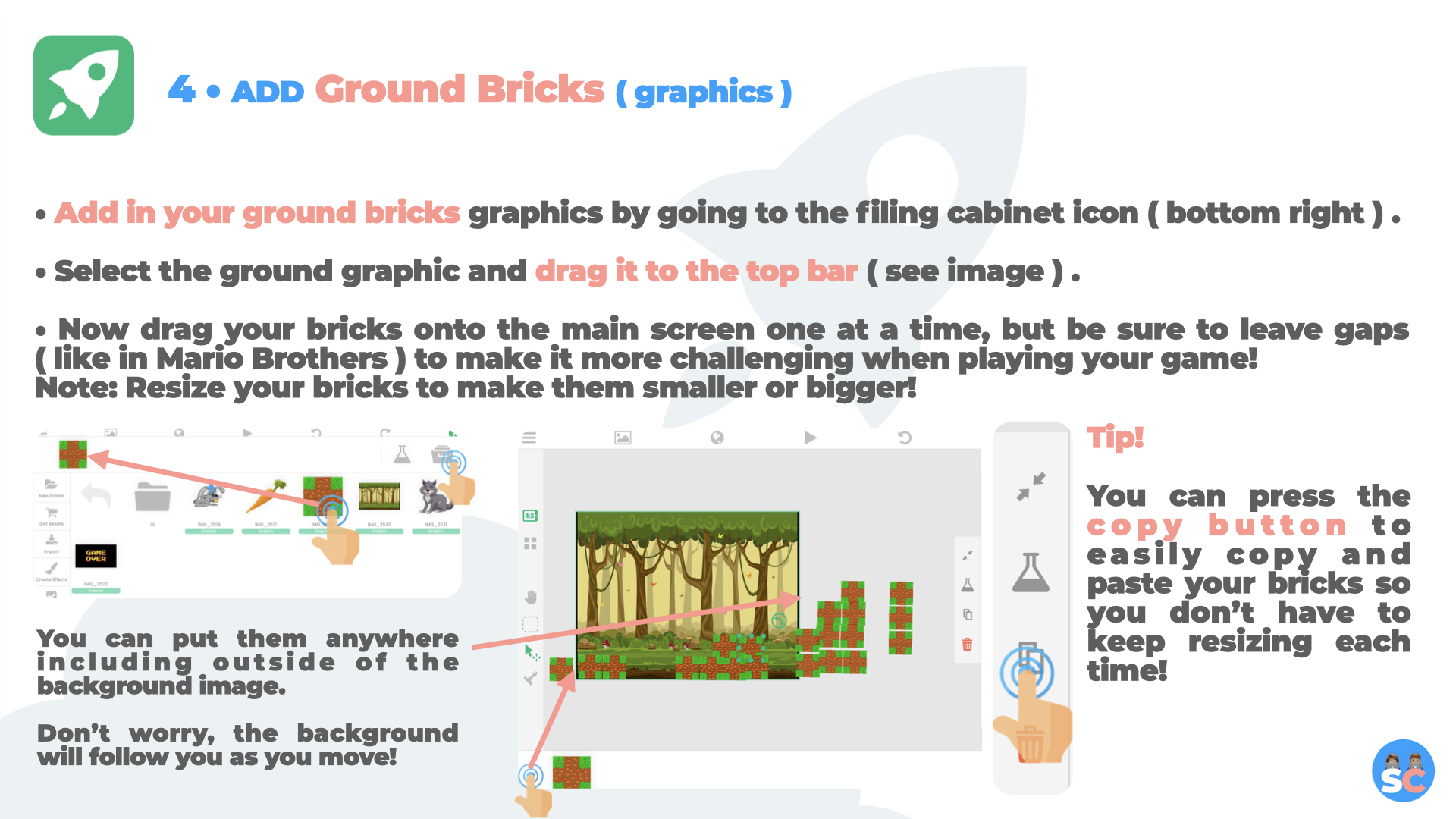
(24:51) Importing Ground Bricks
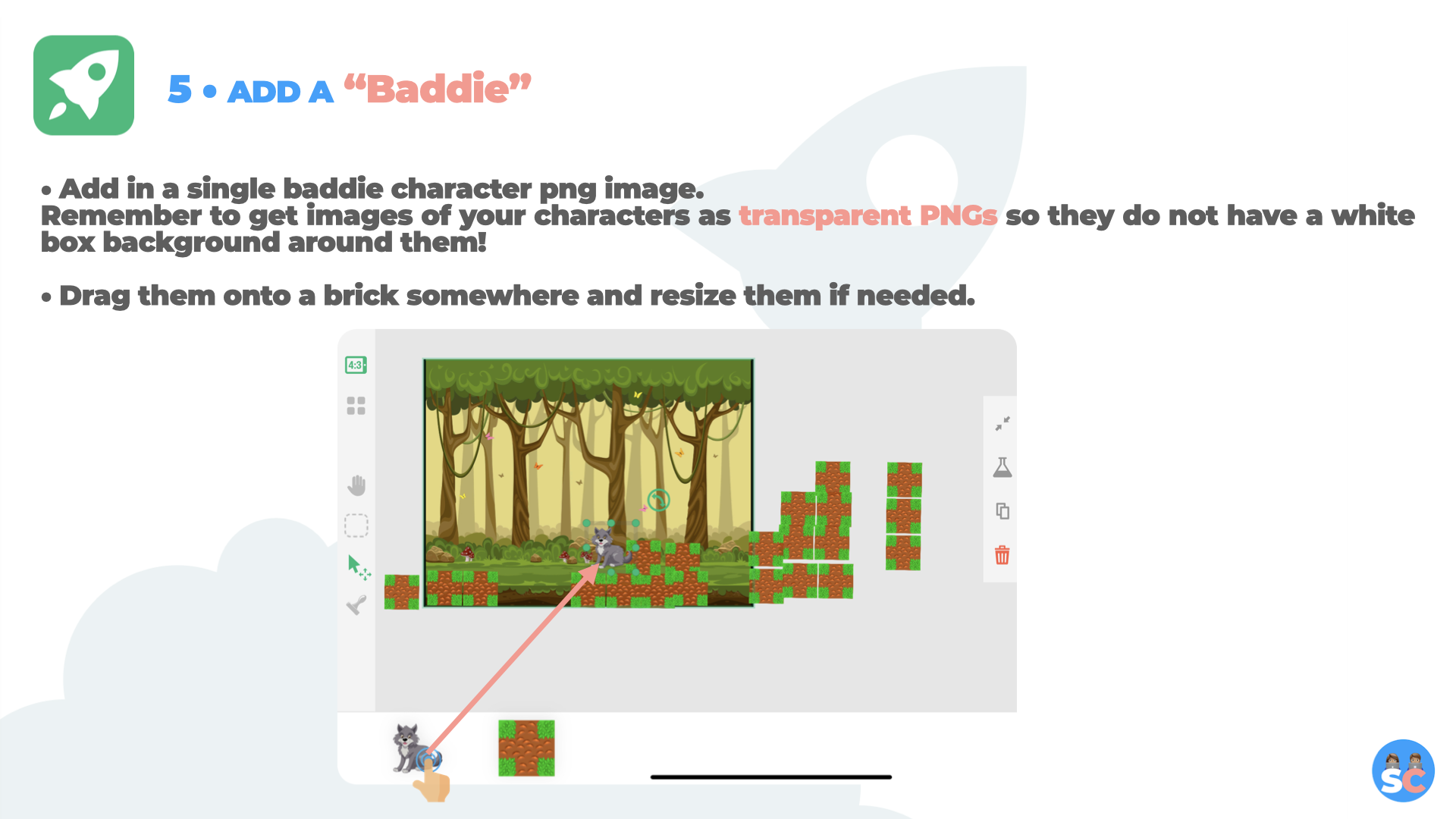
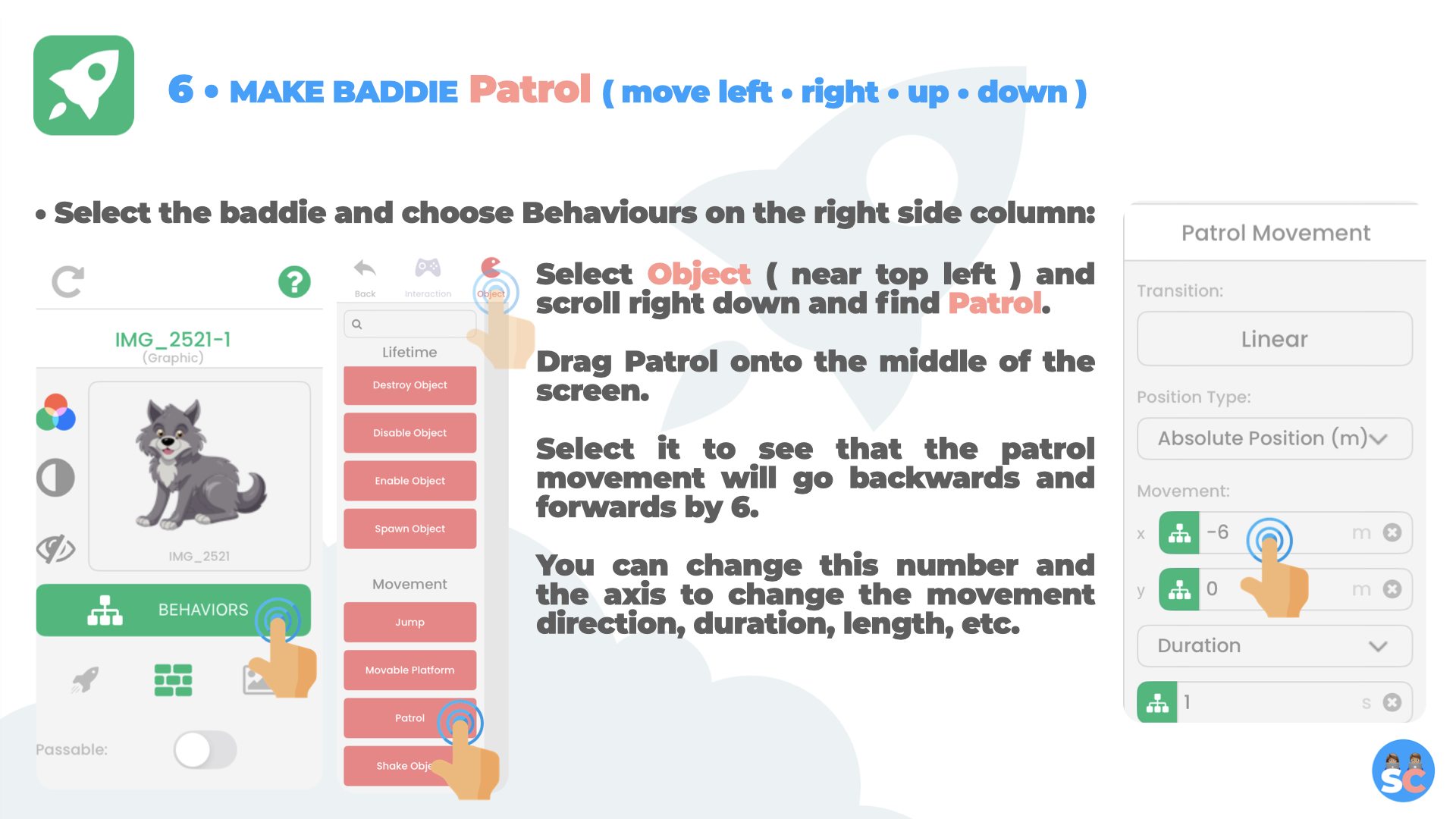
(26:46) Import a Baddie & make them Petrol
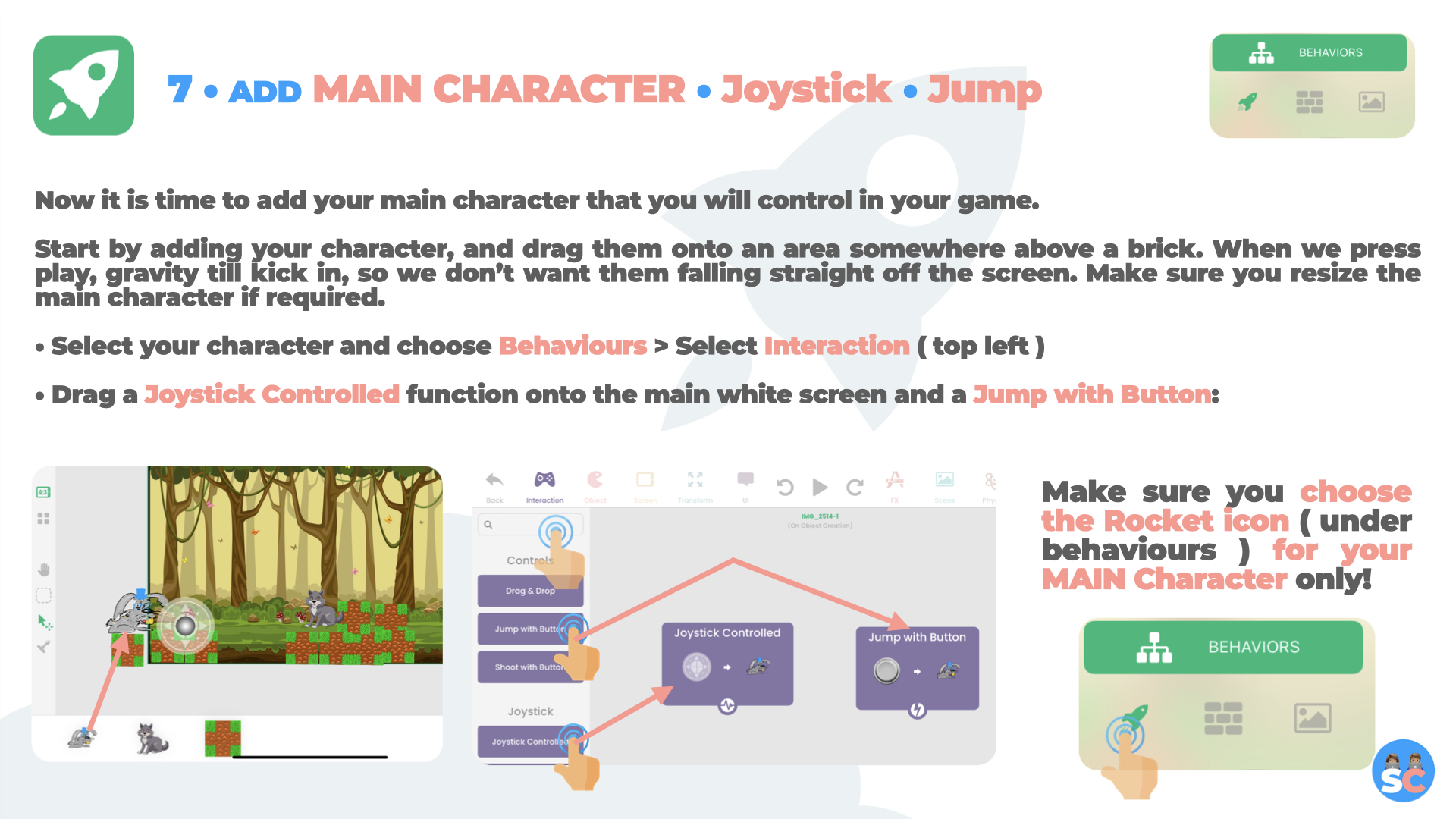
(30:31) Import your Main Character
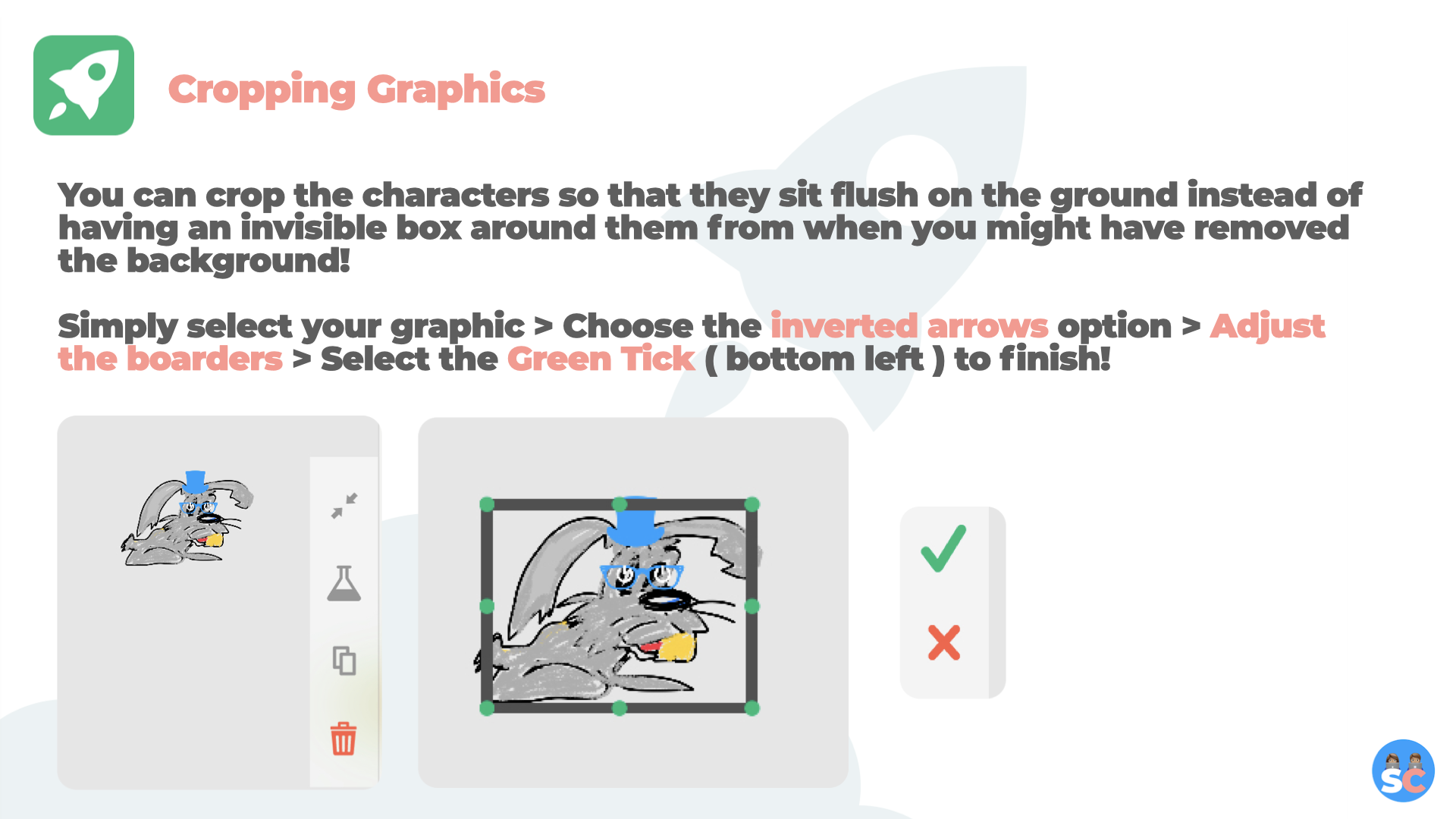
(31:10) Cropping an Asset • Boundary Collisions
(32:20) The Rocket Physics Behaviour ( for MAIN Character )
(33:35) Joystick & Jump Buttons for Main Character
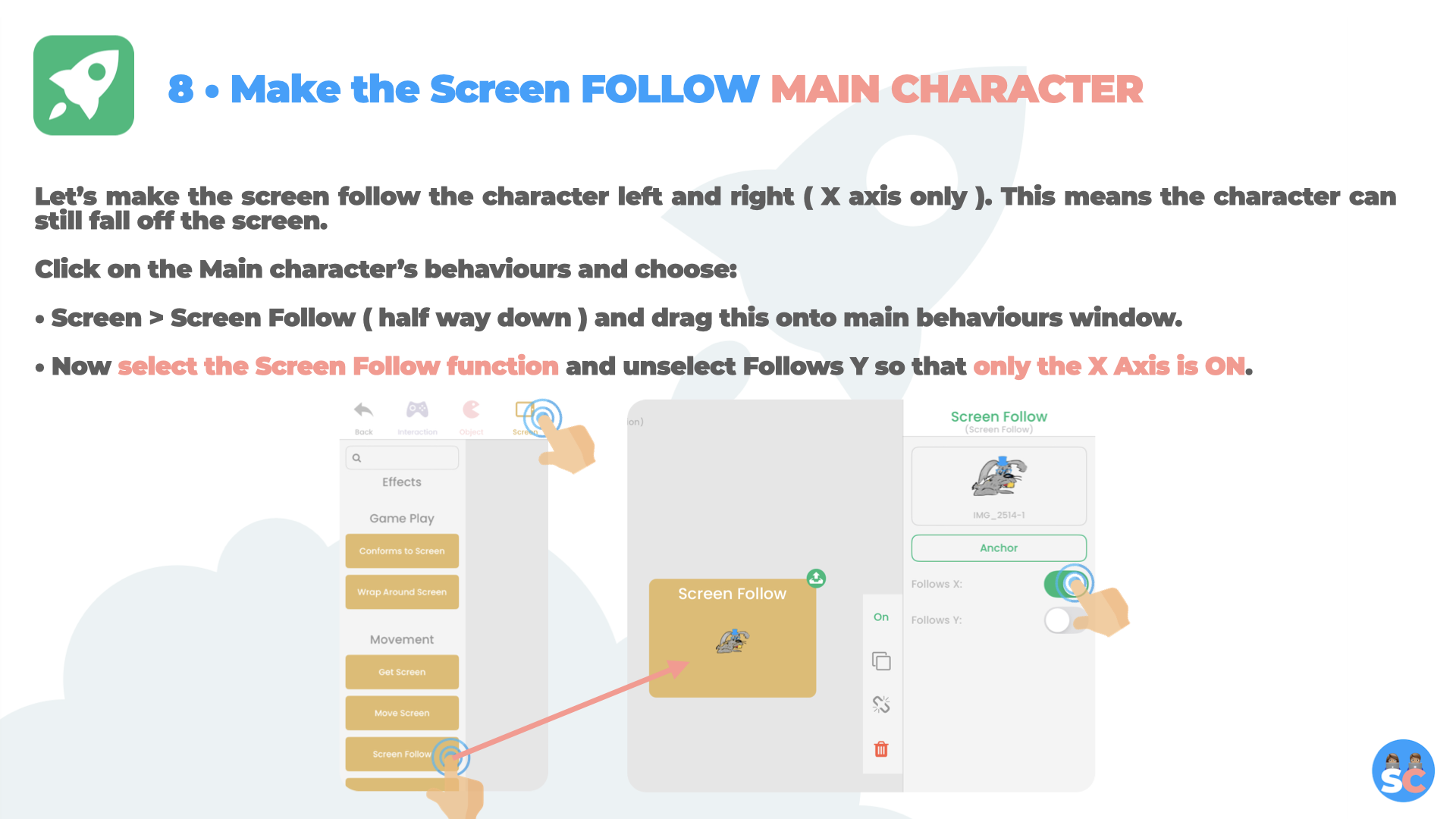
(35:45) Make the Screen Follow Main Character
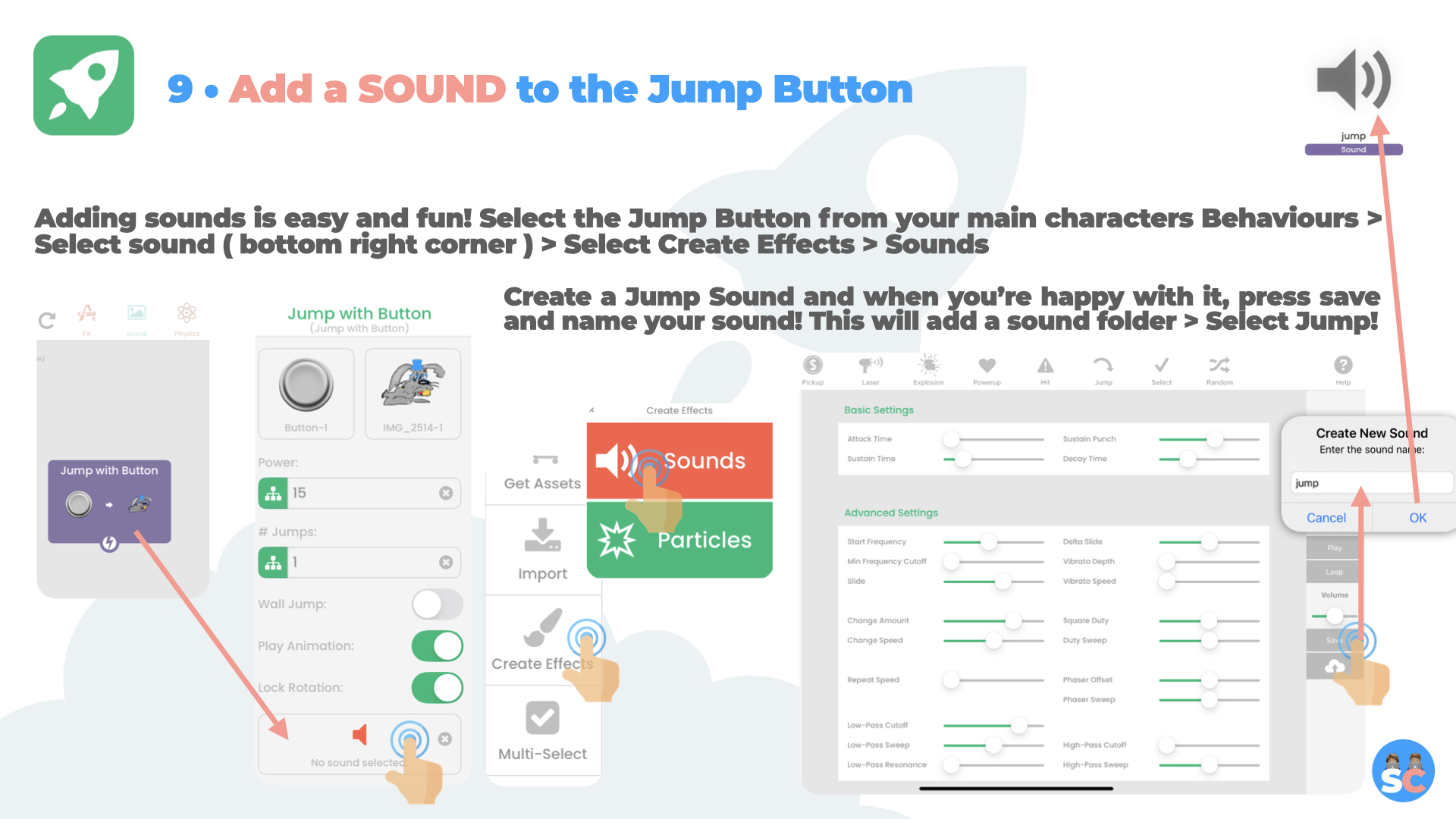
(38:05) Add a Jump Sound Effect
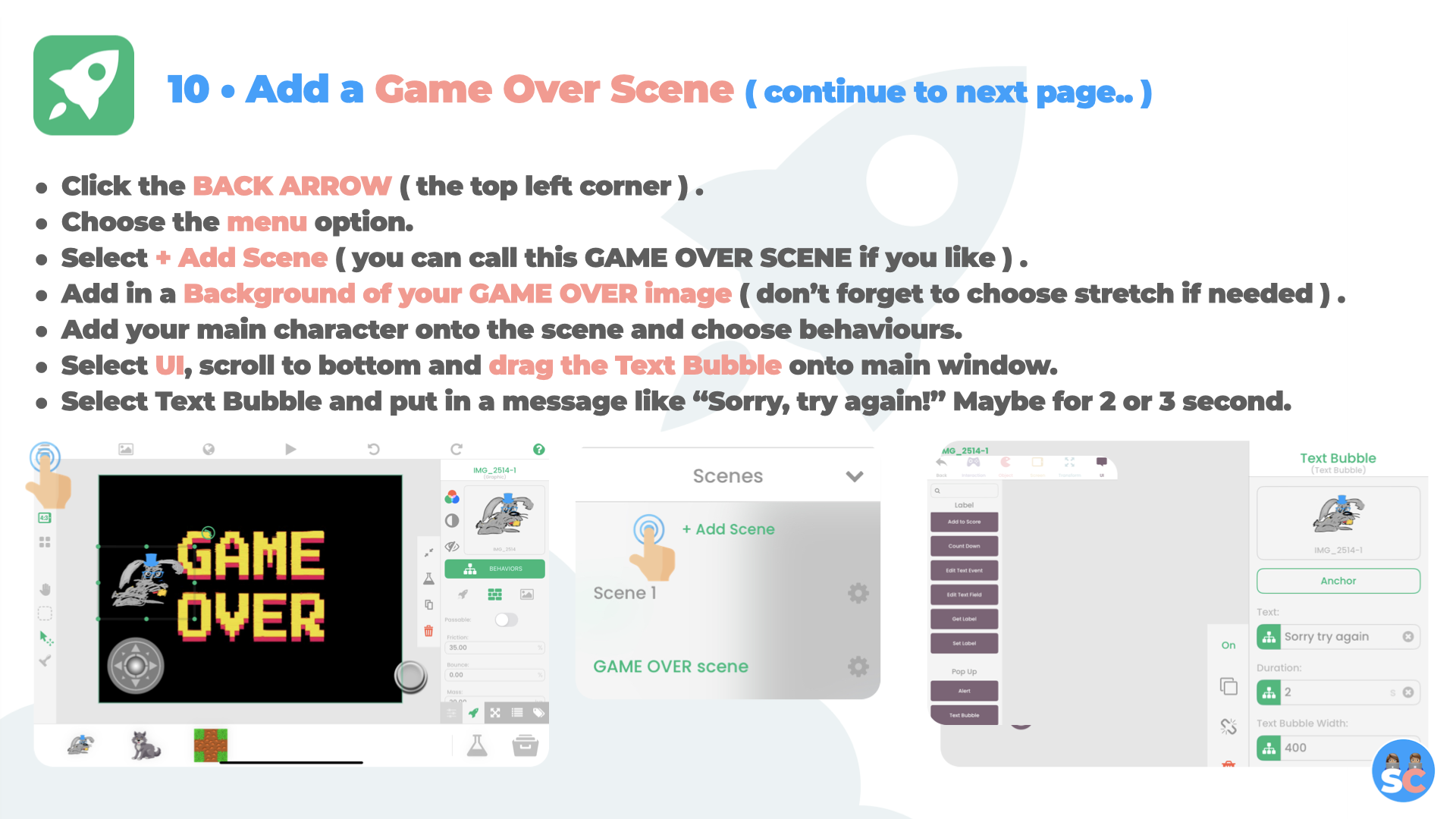
(41:09) Create a Game Over Scene
(42:32) Adding Character Text Bubbles
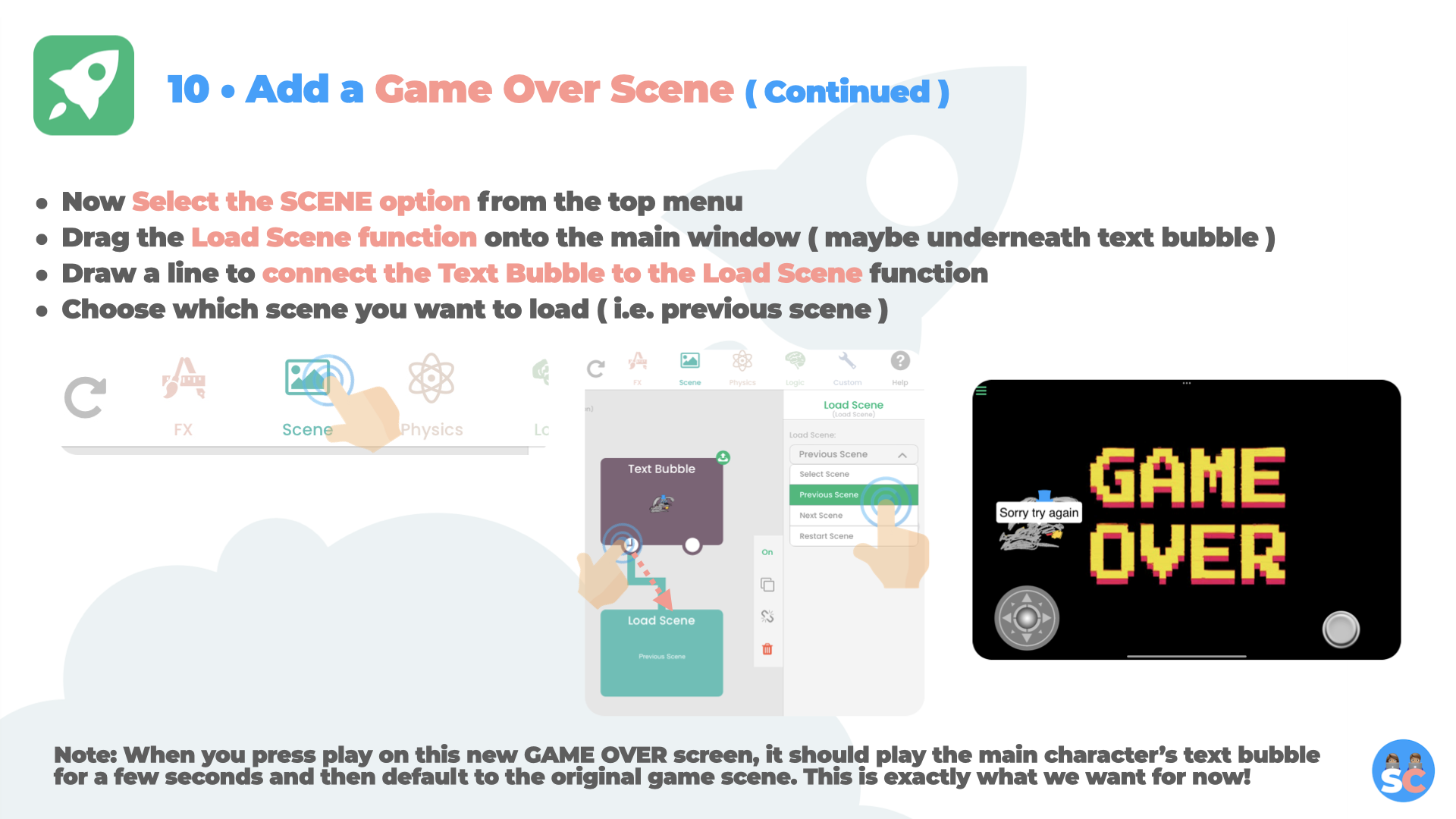
(43:34) Loading a New Scene
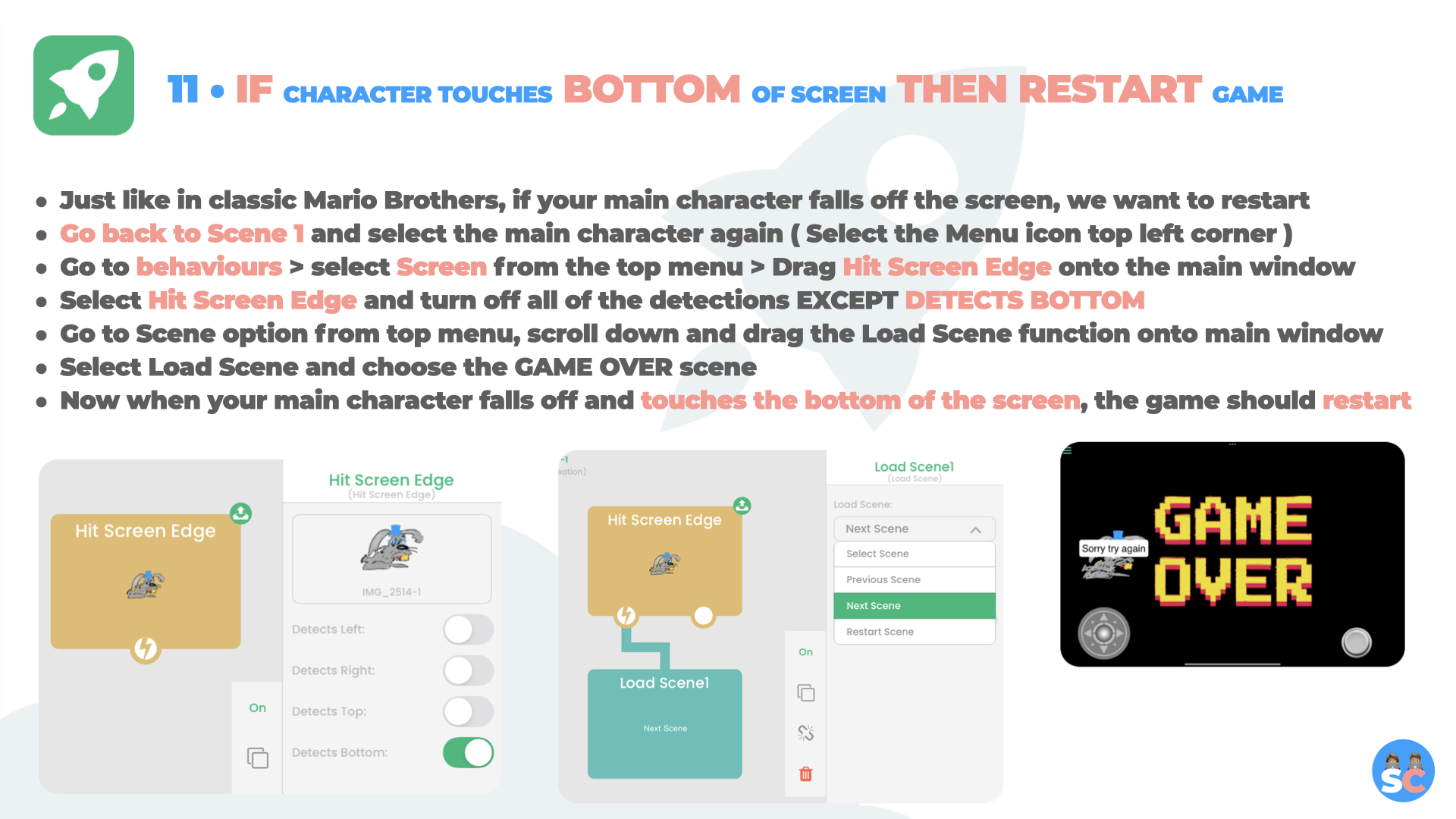
(45:11) Hitting Screen Edge • Falling off the Screen
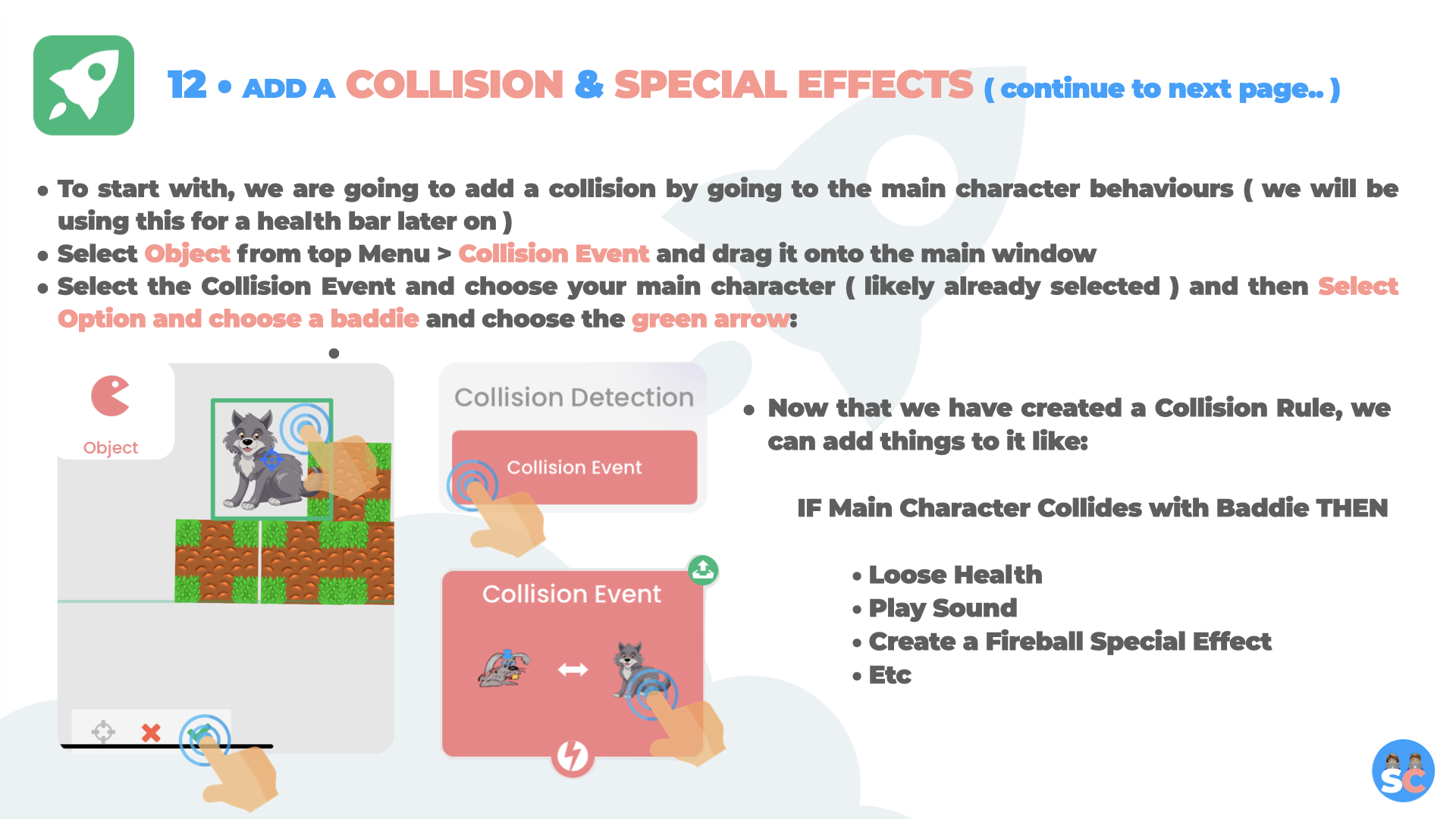
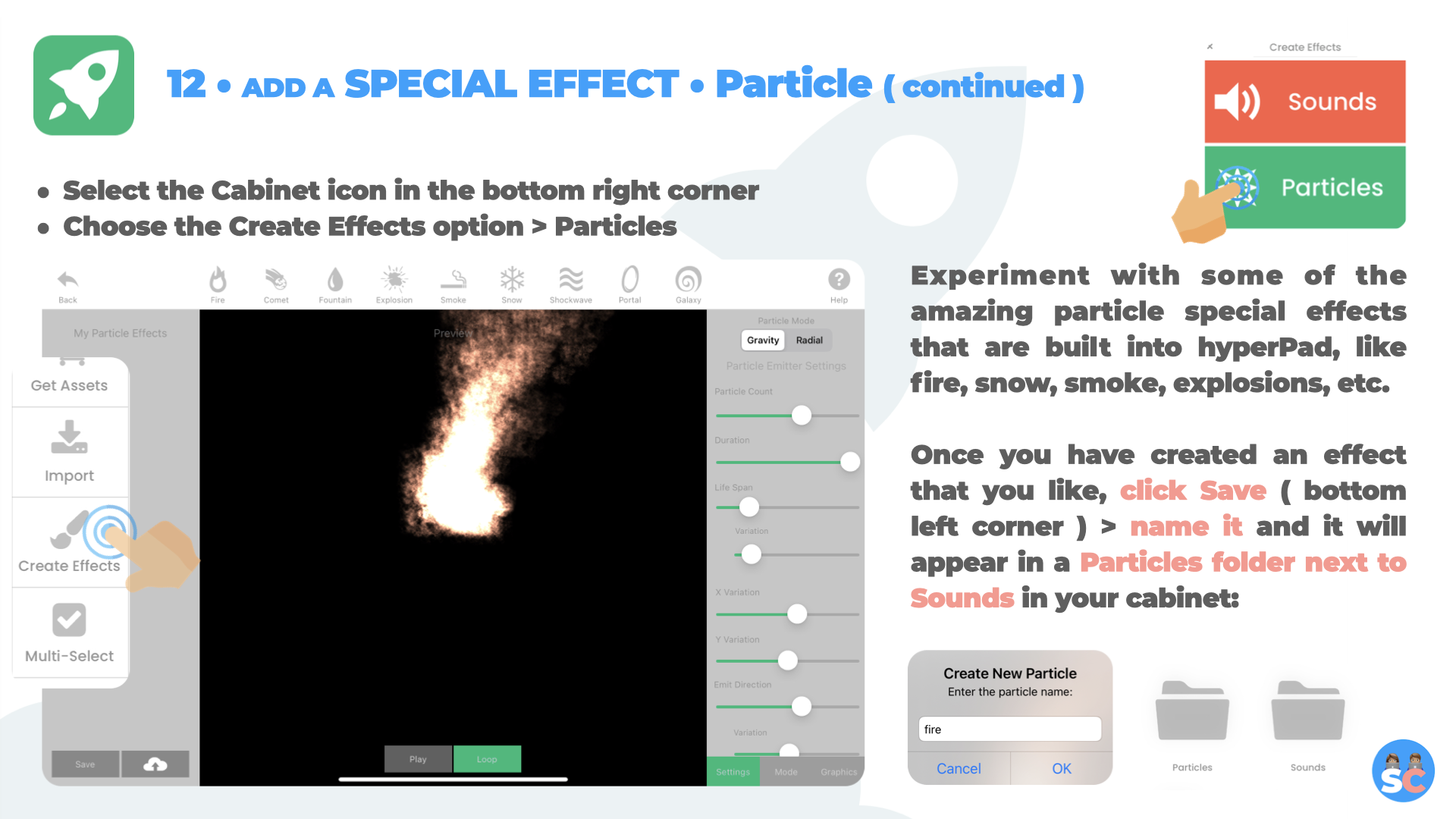
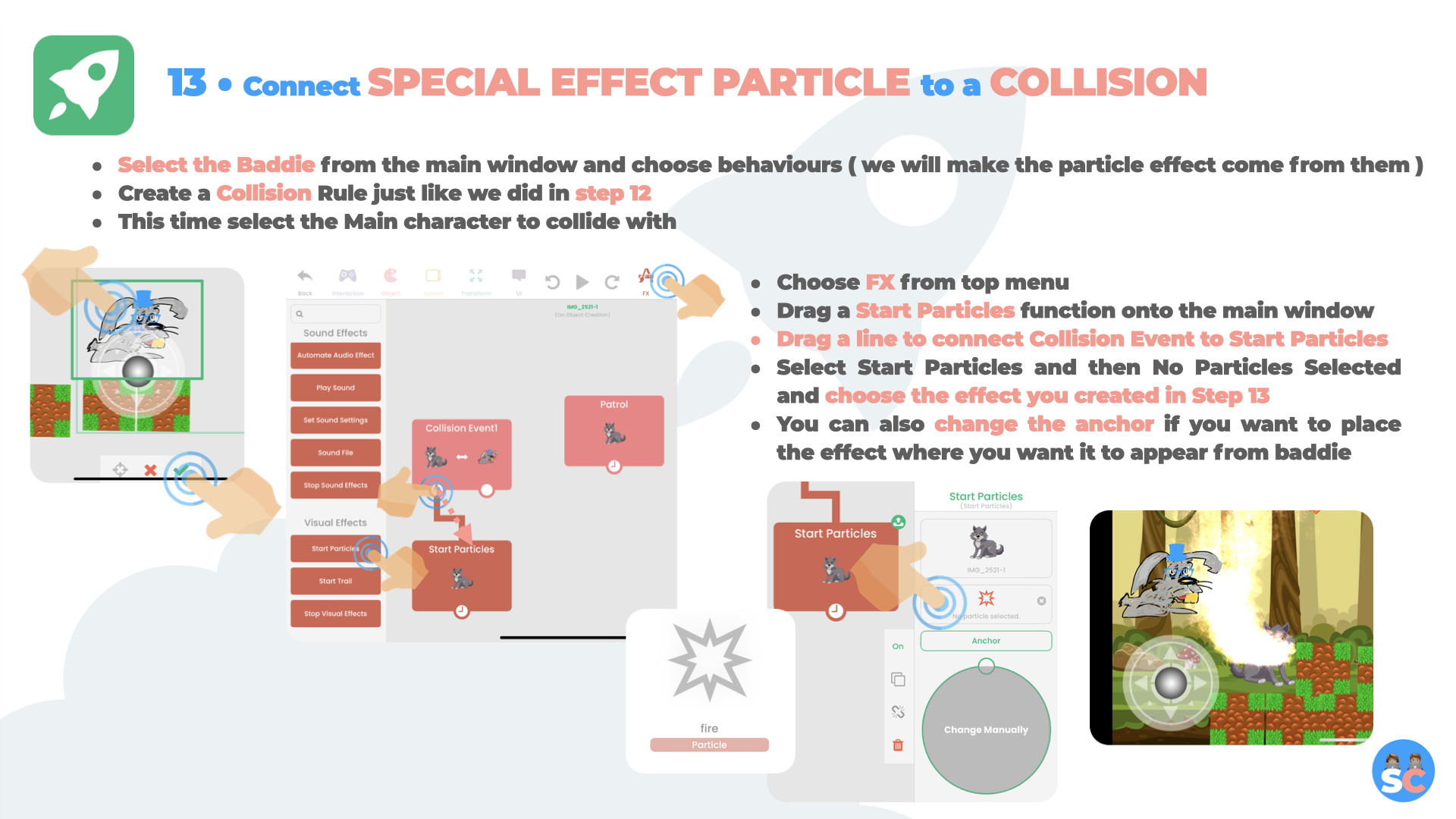
(47:52) Creating Special Effects • Applying them to Collisions
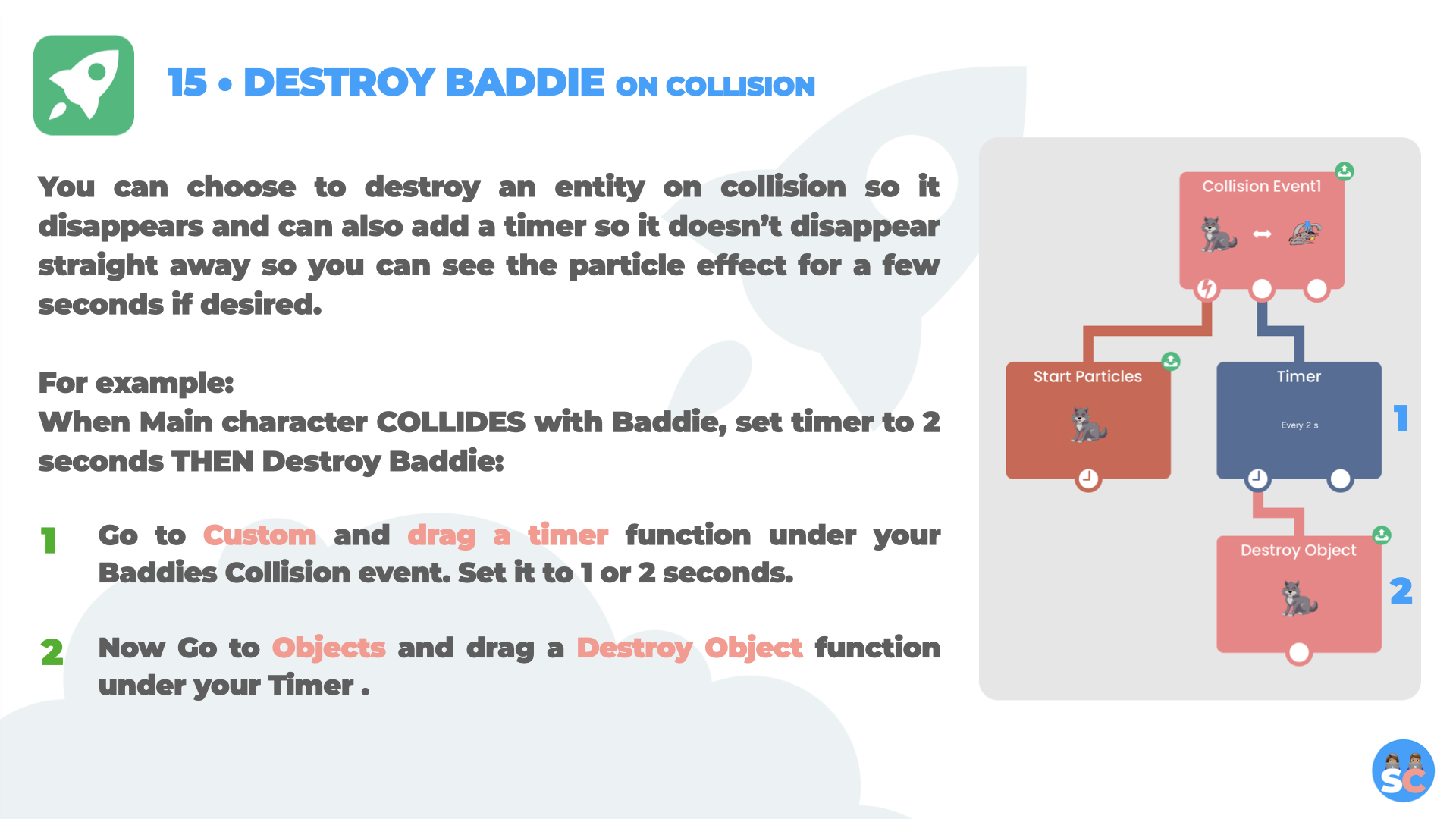
(52:27) Destroying Objects & Timers
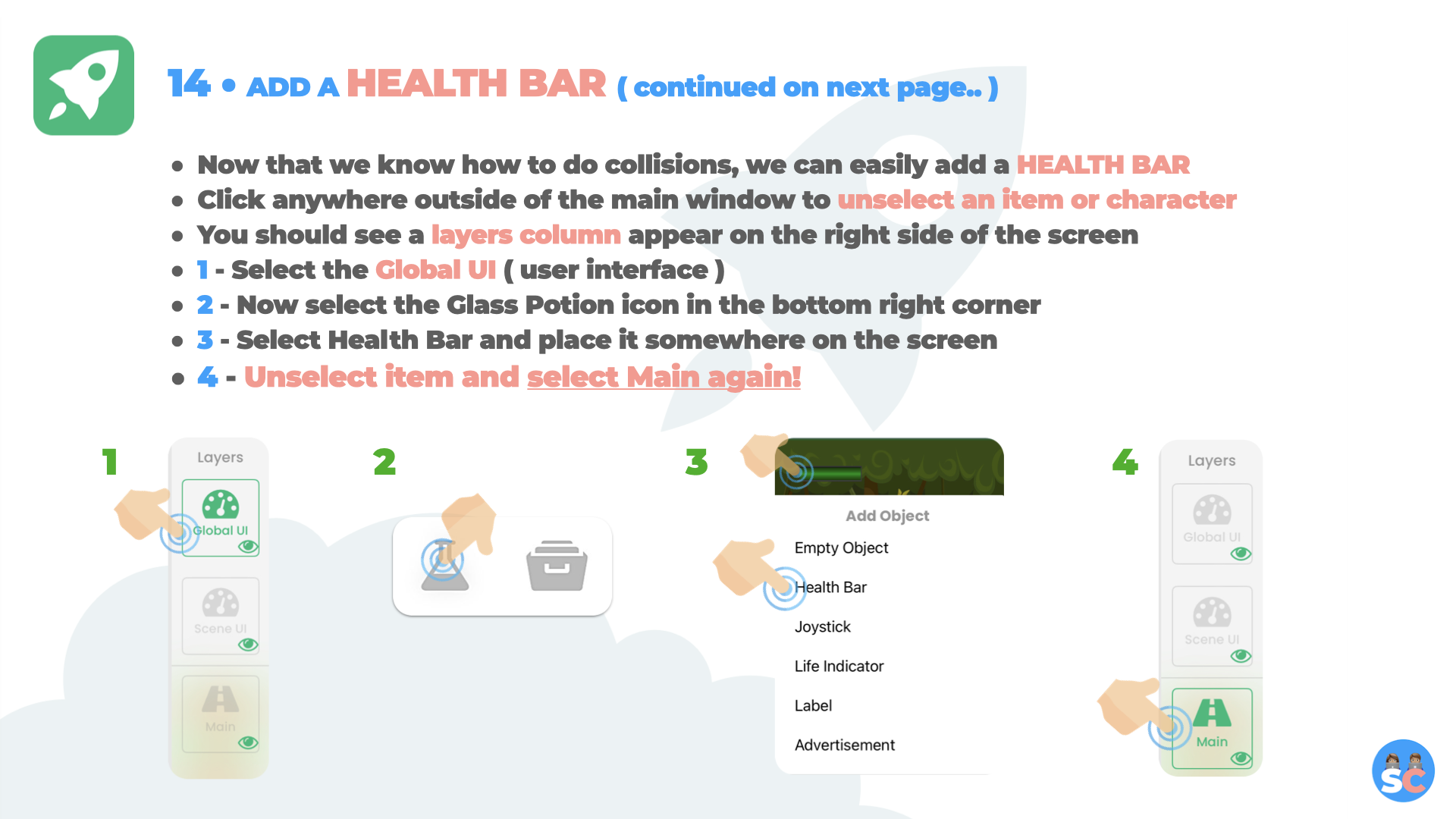
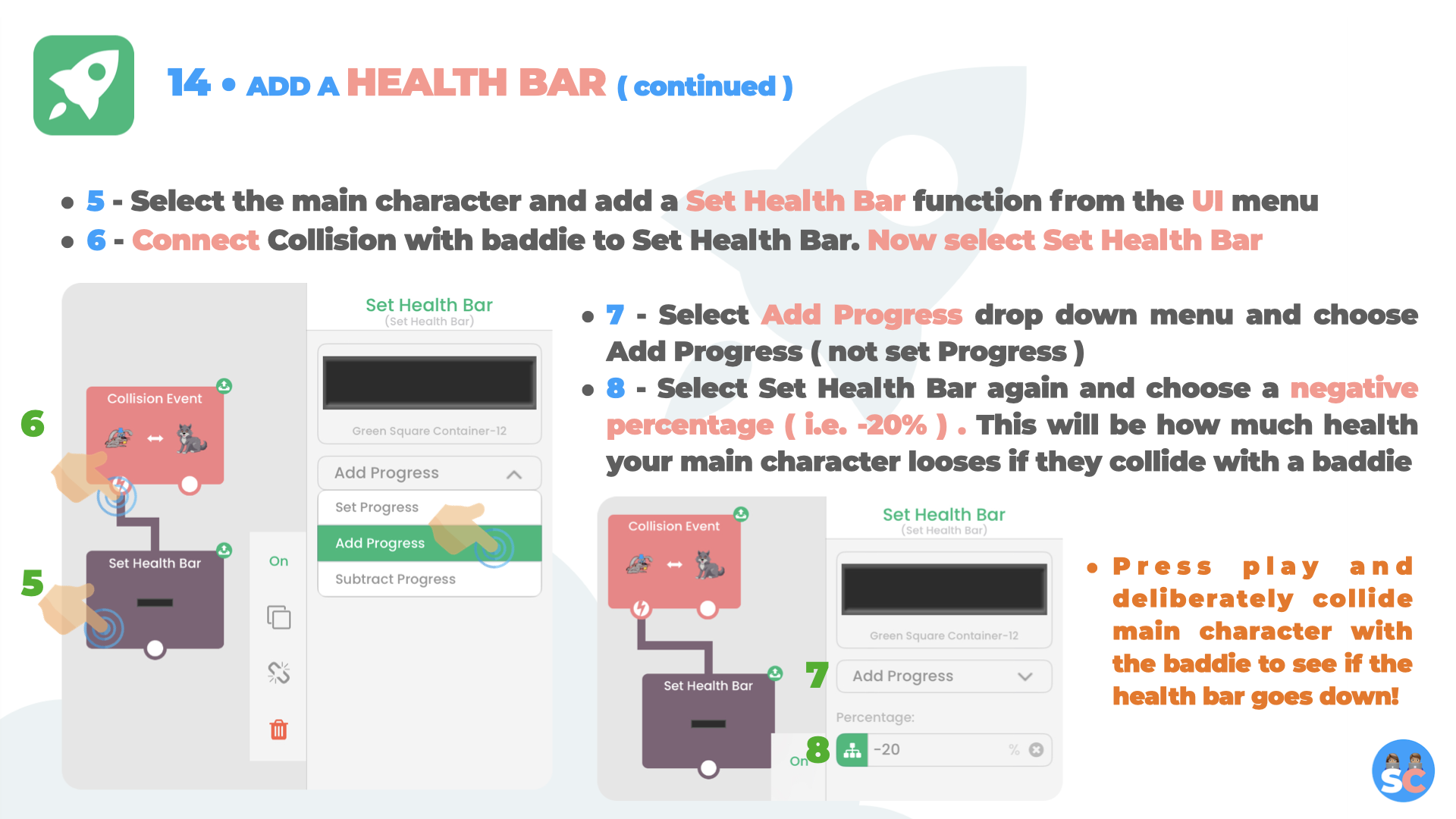
(55:56) Adding a Health Bar
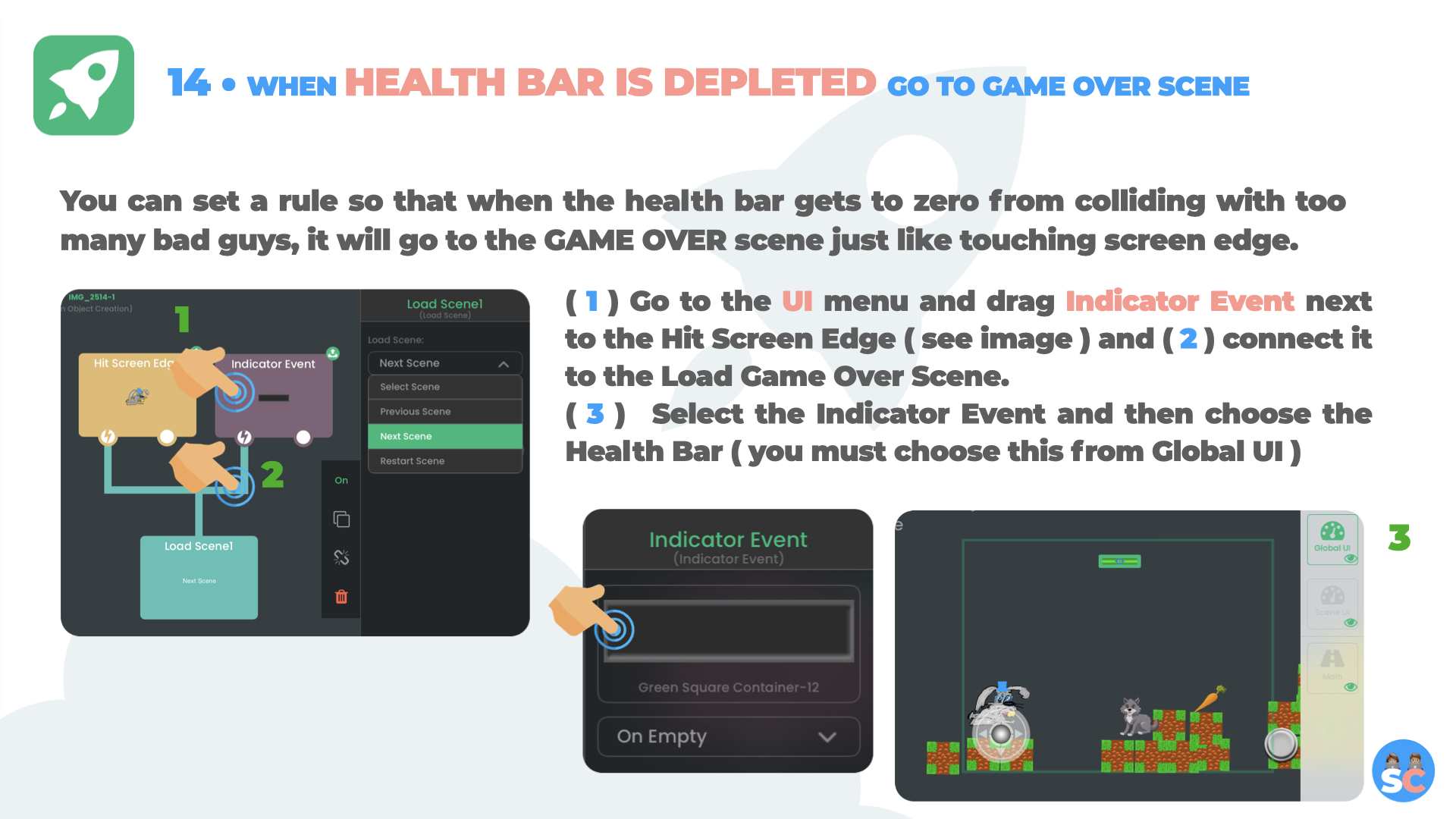
(59:59) When Health Bar = 0 , Set Indicator / Load Scene ( i.e. Game Over )
(1:01:17) Resetting Health Bar to 100%
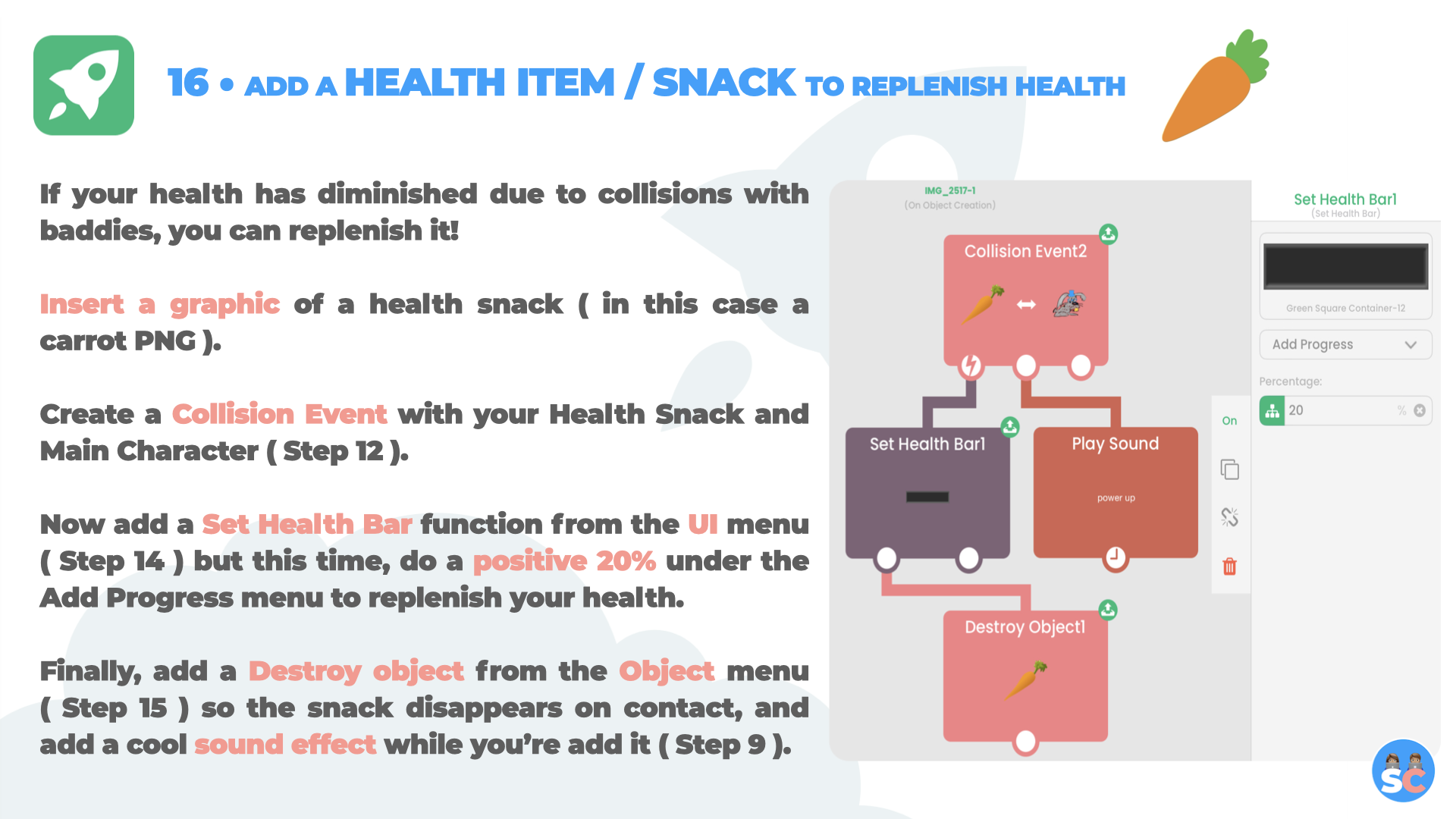
(1:03:10) Adding Power Ups ( Replenishing Health Bar )
(1:04:54) Destroy Power Ups ( on Collision )
(1:05:41) Add a Sound to your Power Up
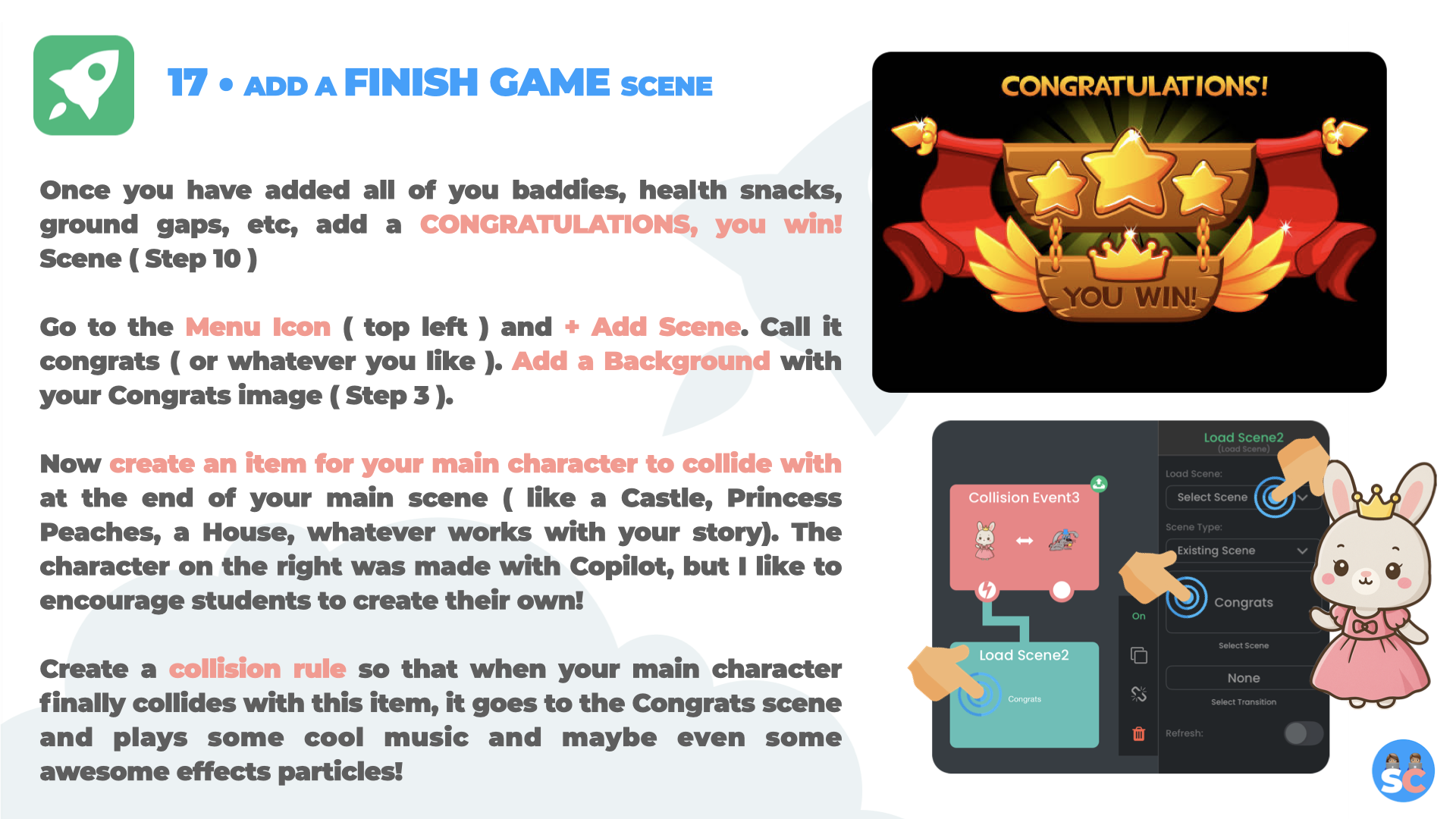
(1:07:24) Add a Finish Game Item or Character
(1:08:48) Add in the final Congratulations ( You Finished the Game ) Scene
(1:10:40) Add a GarageBand Soundtrack to your Game
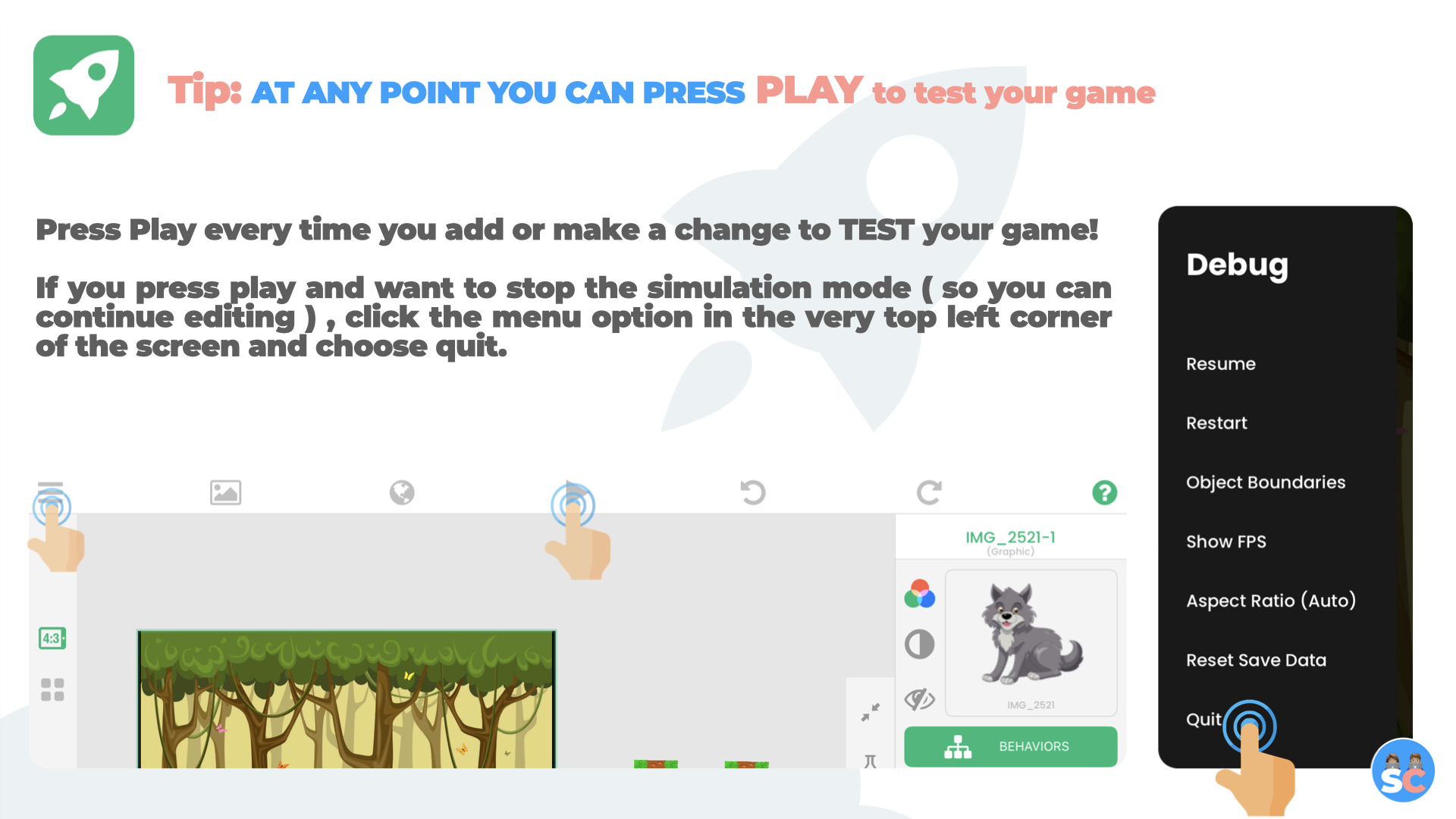
(1:12:39) Playing the Finished Game
(1:13:00) Sharing your hyperPad Project
(1:14:01) Conclusion
Interview:
Steve discusses Game & App Design specifically for the classroom including coding and being creative with the hyperPad former head of marketing:

Official partner of hyperPad!
hyperPad Game & App Design for iPad
*Please note: hyperPad is a paid app. You can get hyperPad on the Apple Volume Purchase Plan ( VPP ) at 50% off.
We only recommend paid apps if they produce amazing classroom outcomes.
Swift Playgrounds is a FREE option to learn coding, but does not allow many of the amazing features that makes hyperPad so great.
-
Game & app design
-
Create stories
-
Import your own characters
-
Design your own objectives
-
Create sound & special effects
-
Import your own music from GarageBand


Students can create their own game objectives, and put them together through design workflows, ultimately coding these ideas into an amazing interactive game or App!
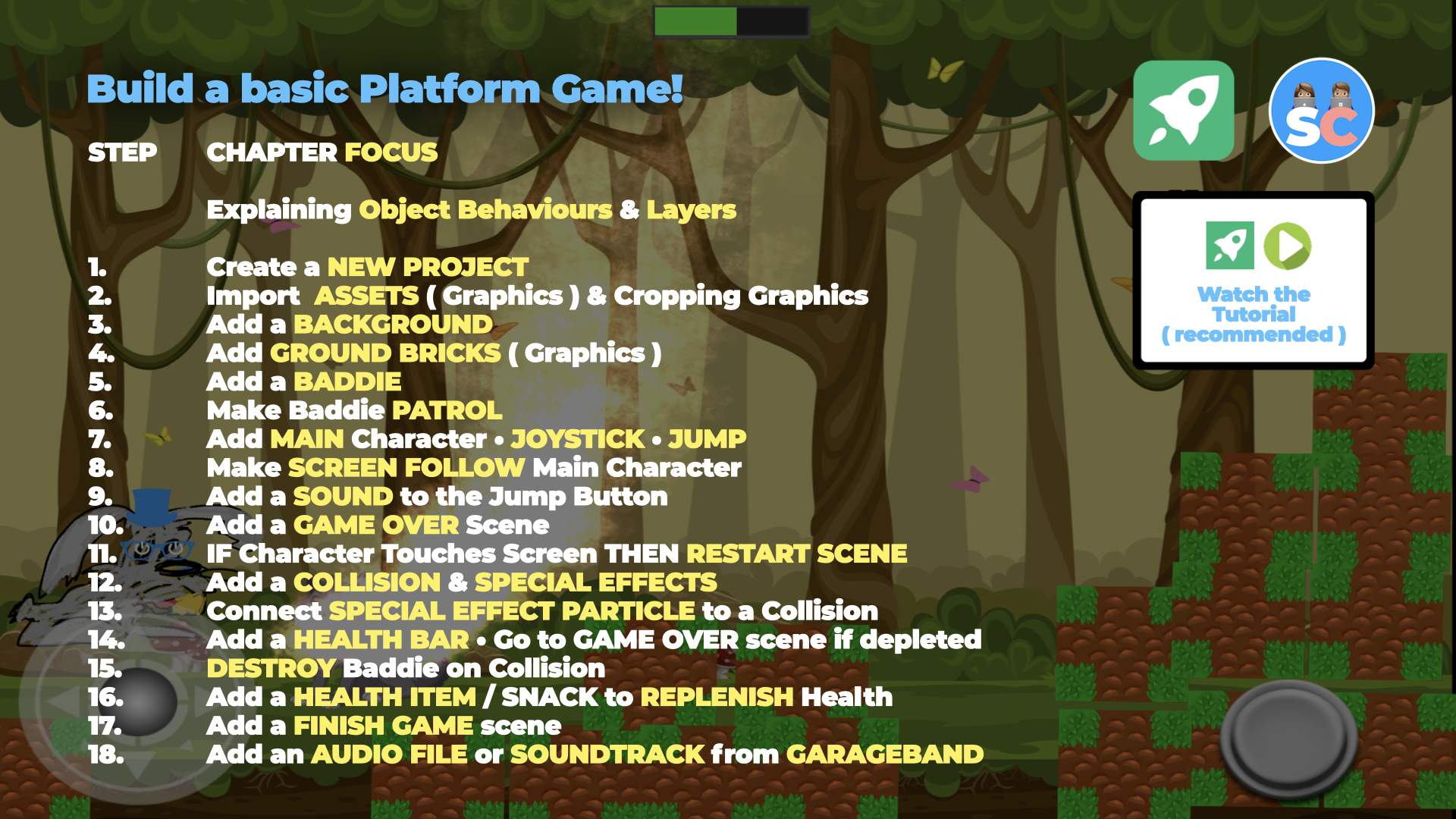
We recommend watching our Video Tutorial Page first, followed by our downloadable resource page where we have added some classroom Build a Platform Game teaching materials like Keynotes / PowerPoints, PDFs and some resources created by the hyperPad education team, which you can download to your device.
There are lots of materials and activity ideas to download for hyperPad. Please scroll to the bottom section to peruse some of these helpful classroom resources.
Curriculum Ideas 5-10 • Download PDF
hyperPad downloadable classroom activity ideas and resourses:

Keynote Version • for teaching • Build a Platform Game

PowerPoint Version • for teaching • Build a Platform Game
Game Design Basics • Objectives • Pseudocode • Flowcharts
Game Design Basics • Objectives • Pseudocode • Flowcharts
Resources by the hyperPad Education Team* :
Math ideas K-6 *By the hyperPad team • Shared with permission.
STEM ideas 6-8 *By the hyperPad team • Shared with permission.
Student Activity & Learning the Basics of hyperPad
*By the hyperPad team • Shared with permission.
Online Interactive PDF
bottom of page